 SSH Connect
A real terminal.
Locked in _your
pocket.
SSH Connect : Secure is a fully offline SSH client and credential vault. Connect to your servers, run real commands in a full terminal, and keep every key and password encrypted on-device — no account, no cloud sync, no telemetry, ever.
Live on the App Store · Android · Play beta
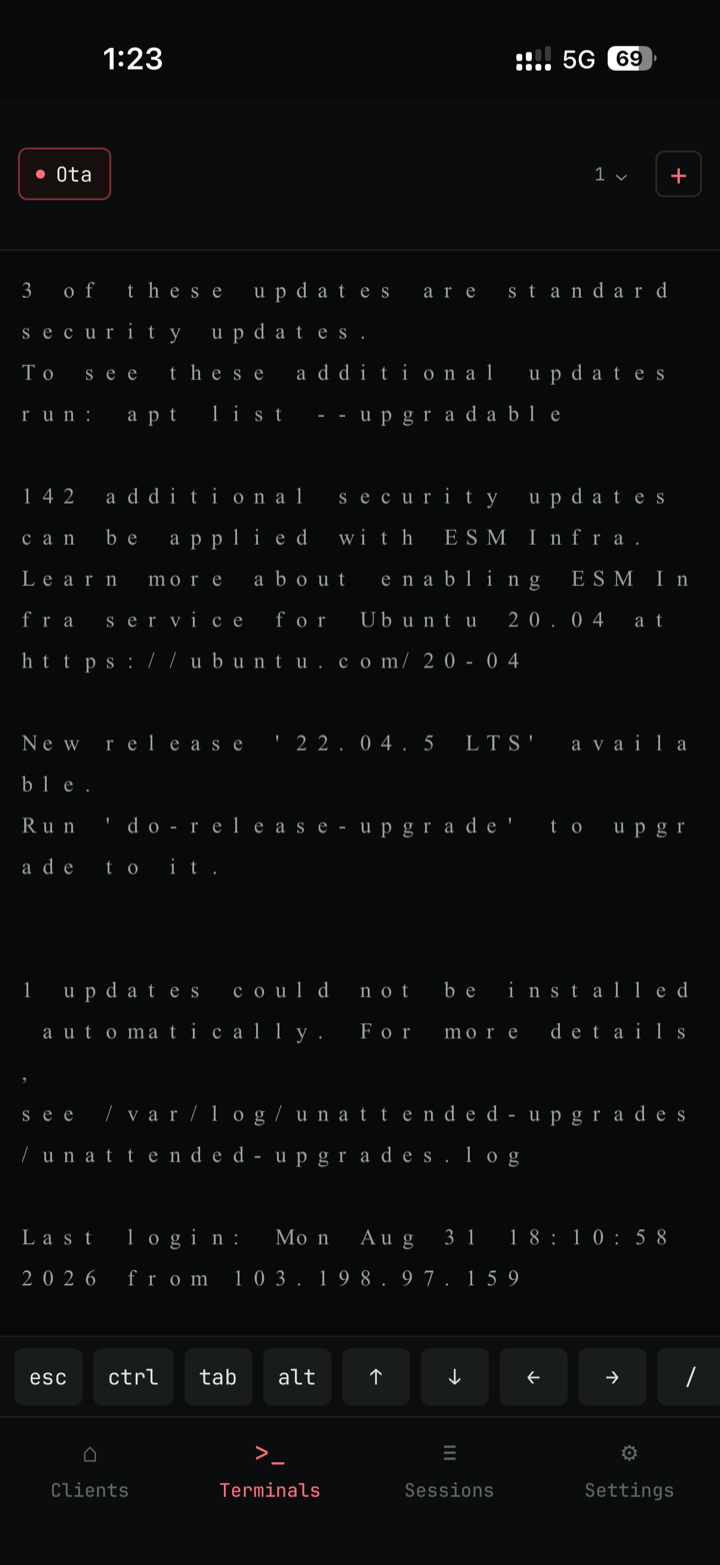
Unedited screenshot · live interactive session
Built like a terminal you'd actually trust.
Every screen is designed around the workflow of reaching and running a real server from a phone — not a toy demo client.
Real interactive sessions
Not a mockup — full ANSI color output, multiple tabs for multiple hosts at once, and an on-screen key row (Ctrl, Esc, Tab, arrows, Ctrl+C) built for typing without a keyboard.
Identities, not re-typed passwords
Save a password, a pasted private key, or an imported key file once — reuse it across as many hosts as you need, independent of any single server.
Import what you already have
Point it at an existing
~/.ssh/config — wildcard Host blocks
and Include directives parsed and previewed
before anything is saved.
Pinned commands, one tap
Pin the commands you actually run on each host, ranked by how often you use them, for instant one-tap re-run.
Every session, transcribed
Commands and output, timestamped, saved locally for every session — review it anytime or export a transcript through the share sheet.
Reconnects on its own
Mobile OSes suspend background sockets — SSH Connect resumes the session automatically when the app returns to the foreground.
Your keys never leave your device.
There's no account, no backend, and nothing phoning home. SSH Connect only talks to the servers your clients connect to — nothing else.
Face ID / fingerprint, a 6-digit PIN, or no lock at all — your choice, changeable anytime in Settings.
Servers, identities, private keys, passwords, history and session logs are encrypted at rest, keyed by your device's secure hardware (Keychain / Keystore).
No analytics SDKs, no crash reporters phoning a server, no usage tracking of any kind.
Private keys are read once through the system file picker and stay on-device unless you explicitly export the vault.
Export servers, identities and pinned commands to a single AES-256 file locked with a password only you know, and restore it merge-safe on another device.
com.shrynshjn.secure.ssh.connect
No accounts · no ads · no telemetry
Unedited, straight from the App Store submission.
Four tabs — Clients, Terminal, Sessions, Settings — each scoped to keep you moving fast between the servers you actually run.
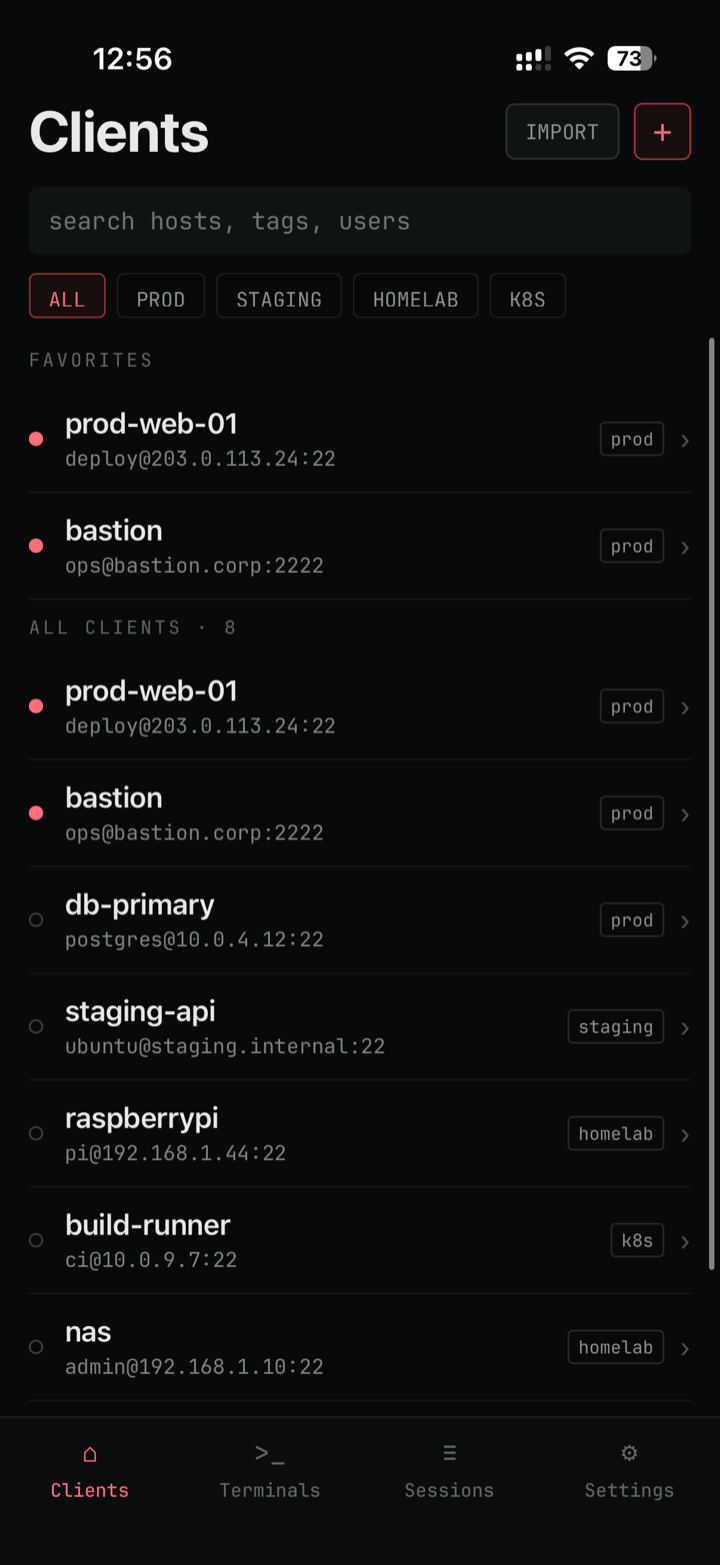
Clients
search · tags · favorites
Terminal
full ANSI · tabs · key row
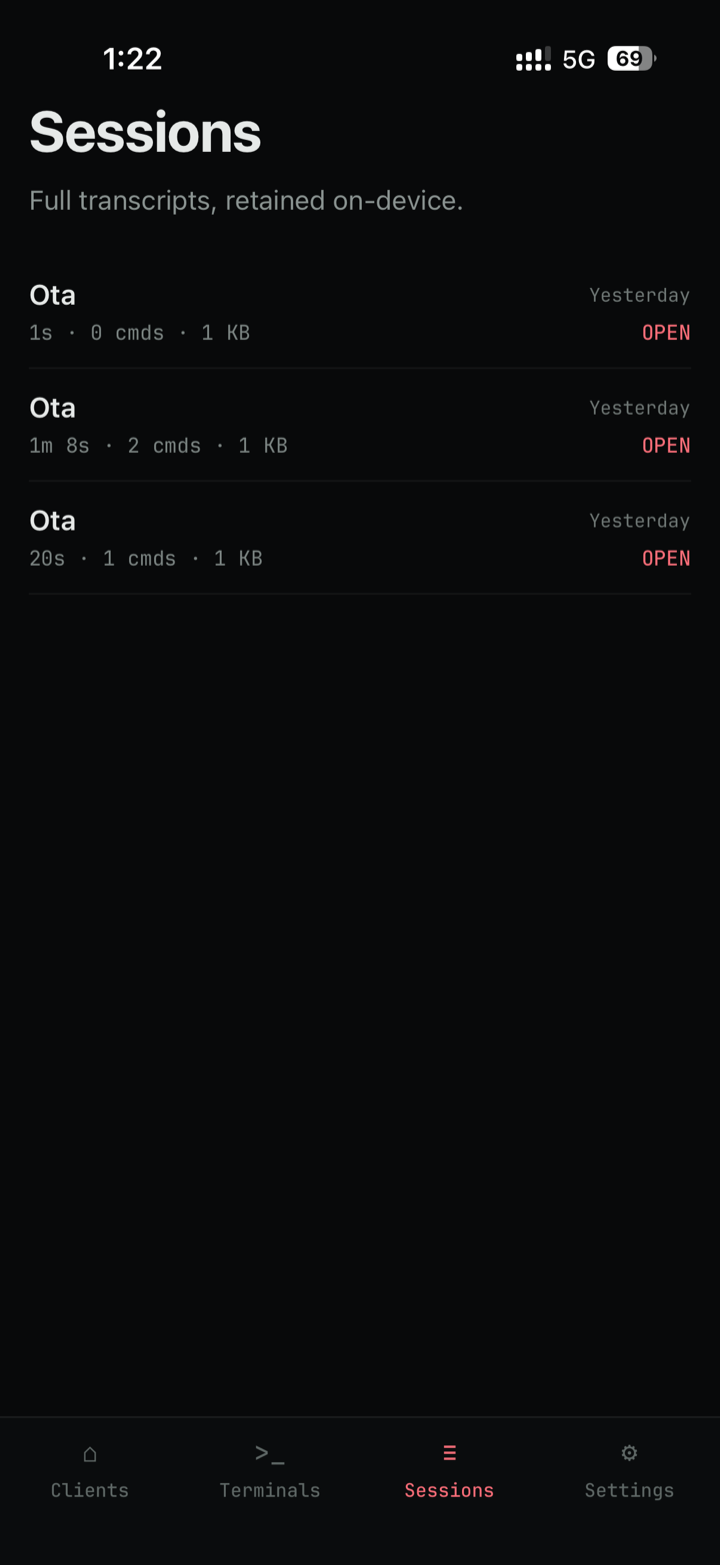
Sessions
timestamped transcripts
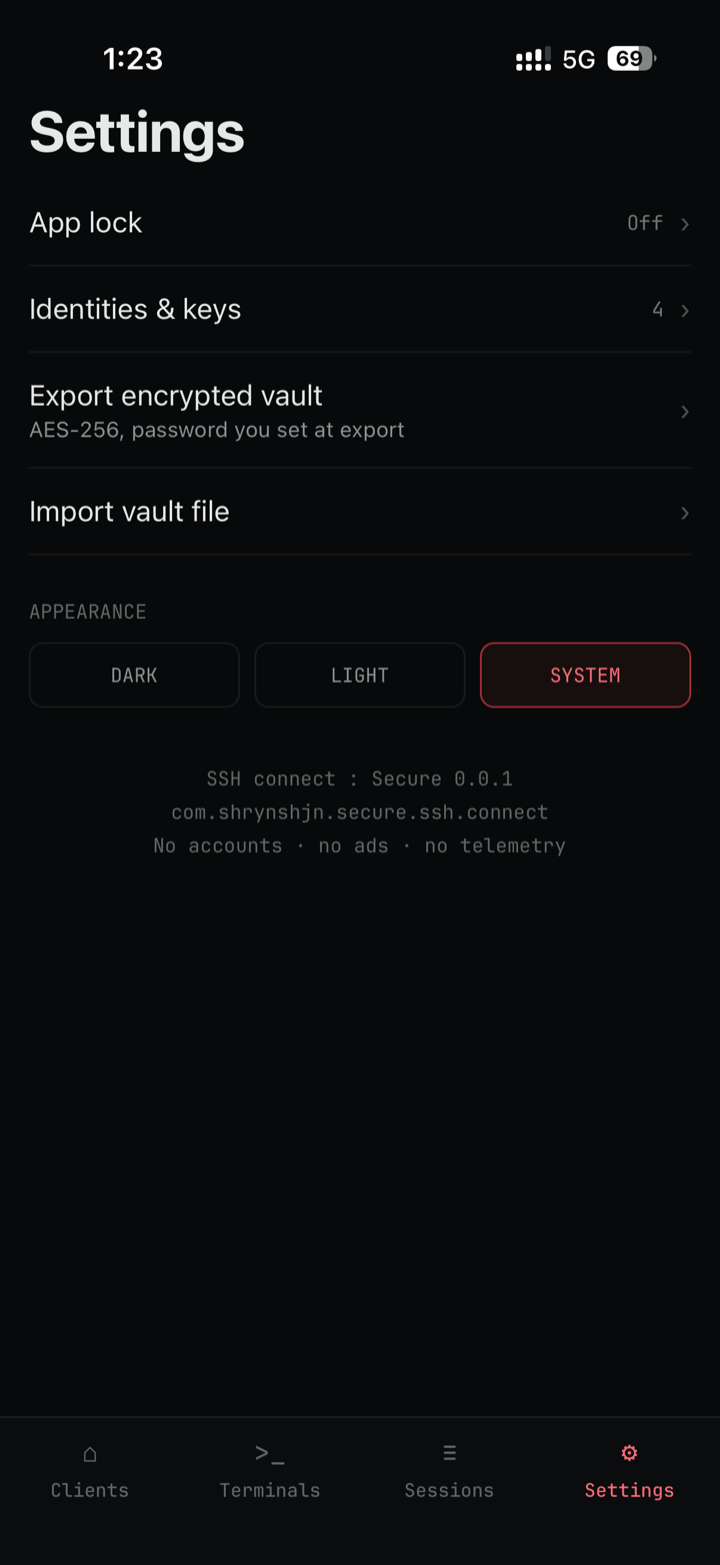
Settings
lock · vault · appearance
no staged UI · no fake data · what ships is what's shown
man ssh-connect
Straight answers, no marketing detours.
Does SSH Connect : Secure require an account?
No. There's no account, no sign-in, and no backend — the app works fully offline from the first launch.
Where are my servers, keys and passwords stored?
Entirely on your device, encrypted at rest using your device's secure hardware (the iOS Keychain or Android Keystore) — never in plaintext, never synced to a cloud.
Can I import my existing ~/.ssh/config?
Yes. SSH Connect parses Host blocks — including
wildcards and Include directives — and shows a
preview before anything is saved.
Is SSH Connect : Secure free?
Yes, it's free with no paid tiers, ads, or in-app purchases, on both iOS and Android.
How do backups work without a cloud account?
Settings can export your whole vault — servers, identities and pinned commands — to a single AES-256 file locked with a password you choose, which you move and restore yourself.
What happens to my terminal session if I background the app?
Mobile operating systems suspend background network sockets, so a dropped session is expected — SSH Connect reconnects automatically when you bring the app back to the foreground.
Is SSH Connect : Secure available on Android?
Yes — it's in open beta on Google Play. iOS is live now on the App Store.

I manage a lot of servers as part of my day job and got tired of clunky mobile SSH clients — so I built the one I wanted on my own phone.
I've also built MQTT Connect, a secure MQTT client, plus a few other privacy-first apps — see everything I've made.
Take your terminal with you.
SSH Connect : Secure is live on the App Store, with Android in open beta on Google Play — free, no account required.
SSH Connect : Secure is live on the App Store — download it now.
Download on the App StoreJoin the open beta on Google Play to install SSH Connect on Android now.
Join the Play beta